

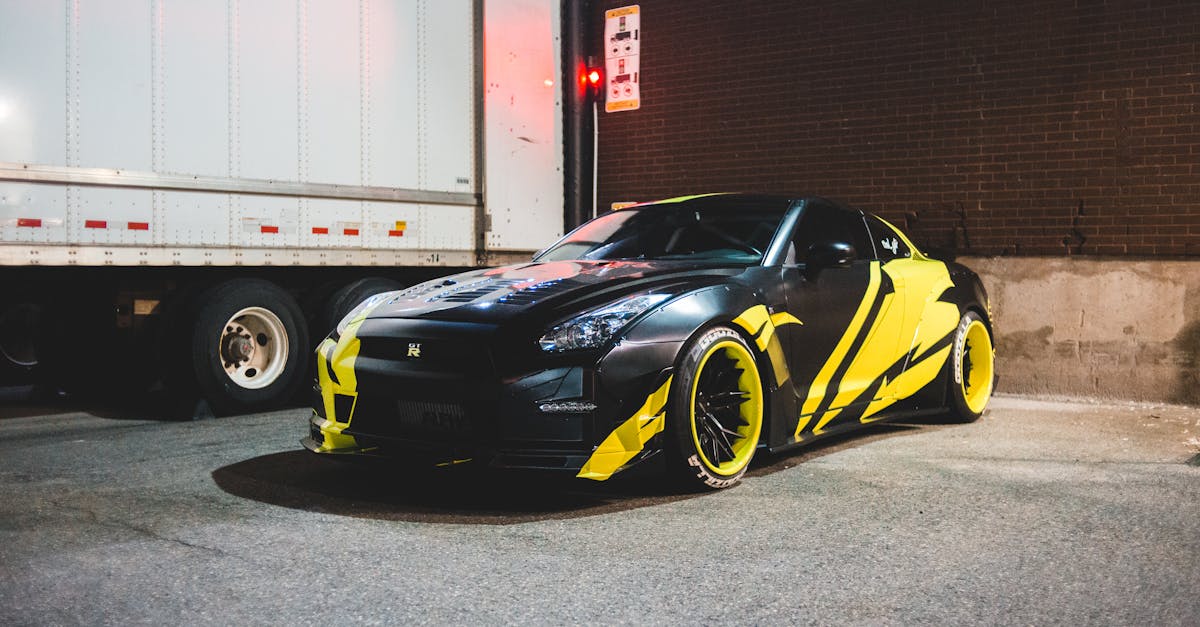
Car wrap design templates have revolutionized how we approach vehicle advertising and customization. From small businesses seeking brand visibility to individuals wanting to express their unique style, these pre-designed templates offer a professional foundation for transforming any vehicle’s appearance.
We’ve witnessed a significant evolution in the car wrap industry over the past decade. What once required extensive graphic design expertise can now be achieved through sophisticated template systems that combine creativity with practicality. These templates not only streamline the design process but also ensure consistent quality across different vehicle models and sizes.
Key Takeaways
- Car wrap design templates provide standardized layouts for vehicle graphics, offering pre-designed formats like AI, PSD, PDF, and EPS files for professional customization.
- Professional designs incorporate key elements like color theory (3-4 primary colors), strategic logo placement, and typography with minimum 4-inch height for optimal visibility.
- Vector-based design tools (Adobe Illustrator, CorelDRAW) and vehicle template libraries are essential for creating precise, high-quality wrap designs with accurate measurements.
- Design files require specific technical specifications: 300 DPI resolution, CMYK color mode, 1-inch bleed areas, and proper layer organization for production-ready output.
- Common mistakes to avoid include incorrect scaling, poor color choices, inadequate resolution, and failing to account for vehicle contours and panel breaks.
- Mock-ups and template verification are crucial steps, requiring precise measurements and 3D visualization to ensure proper fit and appearance before production.
Understanding Car Wrap Design Templates
Car wrap design templates provide standardized layouts that streamline the vehicle graphics creation process. These digital blueprints enable precise measurements and accurate visualization of the final wrap application.
Common Template Formats
The automotive wrap industry utilizes multiple template formats across different design platforms:
- Adobe Illustrator (.ai) files offer vector-based scaling with preserved quality
- Photoshop (.psd) templates include layered compositions for detailed editing
- PDF formats maintain universal compatibility across design software
- EPS files support high-resolution printing specifications
- CDR (CorelDRAW) templates provide specialized vehicle wrap features
Stock image platforms like Adobe Stock Images integrate directly with these formats, offering pre-made elements for wrap designs.
Standard Vehicle Template Sizes
Vehicle template dimensions follow manufacturer specifications:
| Vehicle Type | Length (ft) | Height (ft) | Square Footage |
|---|---|---|---|
| Compact Car | 14-16 | 4-5 | 180-240 |
| SUV | 16-18 | 5-6 | 250-320 |
| Van | 18-20 | 6-7 | 320-400 |
| Box Truck | 22-26 | 8-10 | 500-650 |
- Side panels with contour lines
- Hood sections with curved surfaces
- Roof panels with antenna positions
- Door frames with handle cutouts
- Bumper segments with trim specifications
Key Elements of Professional Car Wrap Designs
Professional car wrap designs incorporate essential visual components that work together to create impactful vehicle graphics. These elements combine artistic principles with practical considerations to ensure maximum visibility and brand recognition.
Color Theory and Brand Integration
Color schemes form the foundation of effective car wrap designs, incorporating a maximum of 3-4 primary colors to maintain visual clarity. High-contrast color combinations like black on white or dark blue on yellow create optimal readability at distances of 50+ feet. Corporate brand colors integrate seamlessly through gradient transitions or geometric patterns, maintaining brand consistency across all marketing materials.
Typography and Logo Placement
Typography selection focuses on legibility, using sans-serif fonts at 4-inch minimum height for primary text elements. Logo placement adheres to the “rule of thirds,” positioning key branding elements at natural focal points:
- Driver and passenger doors: Primary logo placement
- Hood and rear panels: Secondary branding elements
- Quarter panels: Supporting text information
- Rocker panels: Website URLs or contact details
Adobe Stock Images provides extensive vehicle template libraries with precise typography guides, ensuring accurate text placement across curved surfaces. Stock photo agencies offer complementary visual elements that enhance the overall design while maintaining professional quality standards.
- High-resolution assets (minimum 300 DPI)
- Vector-based graphics for scalability
- Transparent backgrounds for seamless blending
- Licensed commercial-use images from reputable sources
Popular Car Wrap Design Software
Professional car wrap design software enables precise vehicle graphics creation with specialized tools for accurate measurements, color management, and template customization. These applications streamline the design process while maintaining high-quality output standards.
Vector-Based Design Tools
Industry-standard vector design applications include Adobe Illustrator, CorelDRAW, and Affinity Designer. These tools offer:
- Multiple layer management for complex wrap designs
- Direct template editing with precise measurements
- Advanced color control systems for brand consistency
- Built-in vehicle template libraries with accurate dimensions
- Export capabilities in various file formats (.ai, .eps, .pdf)
Vehicle Template Libraries
Vehicle template libraries provide accurate digital representations of specific car models for wrap design creation. Popular template resources include:
| Template Provider | Features | File Formats |
|---|---|---|
| Adobe Stock Images | 10,000+ vehicle templates | AI, PSD, EPS |
| The Bad Wrap | Premium vehicle outlines | AI, PDF |
| Car Special | 3D vehicle mockups | AI, EPS |
| SignSilo | Multi-angle vehicle views | AI, CDR |
Template libraries integrate with:
- Direct import into vector design software
- Precise vehicle measurements
- Multi-angle vehicle perspectives
- Regular updates for new car models
- Customizable template layers
Vehicle template libraries often partner with stock photo agencies to provide comprehensive design assets. Adobe Stock Images offers extensive collections of vehicle templates alongside complementary design elements, while platforms like Shutterstock provide additional visual resources for enhancing wrap designs.
Best Practices for Creating Wrap Templates
Creating effective vehicle wrap templates requires attention to detail and adherence to industry standards. These practices ensure optimal results in both design and production phases.
Design Flow and Vehicle Contours
Vehicle contours impact wrap design effectiveness through proper alignment with the car’s body lines. Here’s how to optimize design flow:
- Create designs that follow natural body lines instead of fighting against them
- Position key elements along smooth surfaces to prevent distortion
- Break designs into panels that match vehicle sections
- Allow 6 inches of bleed area around doors panels edges
- Incorporate 1/4-inch safe zones around handles trim pieces windows
- Map design elements to avoid placement across deep recesses curves
Print-Ready File Preparation
Print file preparation determines wrap production quality. Follow these specifications:
Resolution Requirements:
| Element Type | Required Resolution |
|---|---|
| Vector Graphics | 150-300 DPI |
| Raster Images | Minimum 300 DPI |
| Logos | Vector Format |
File Setup:
- Convert all text to outlines before submission
- Include 1-inch bleed on all sides
- Embed high-resolution images from Adobe Stock Images
- Set color mode to CMYK at 100% opacity
- Package all linked files fonts
- Save in compatible formats (.ai .eps .pdf)
- Label all layers descriptively
- Group related elements
- Create separate template vehicle outline layer
- Include registration marks trim lines
- Add dieline layer for cutting guides
By incorporating these technical specifications we ensure optimal print quality clear communication with production teams.
Common Design Mistakes to Avoid
Car wrap design errors create costly revisions and compromise visual impact. Understanding these pitfalls helps designers create effective vehicle graphics that meet professional standards.
Scale and Proportion Issues
Incorrect scaling derails wrap designs through these common errors:
- Using undersized logos or text that become illegible at typical viewing distances
- Creating oversized elements that overwhelm vehicle surfaces or appear distorted
- Ignoring vehicle panel breaks which interrupt crucial design elements
- Misaligning graphics across multiple panels, creating visual disconnects
- Failing to account for curved surfaces when calculating proportions
Color and Material Limitations
Material constraints impact color reproduction and durability:
- Selecting colors without considering vinyl material limitations
- Using gradients that exceed printer capabilities
- Incorporating low-resolution images from cheap stock photos that pixelate when scaled
- Choosing metallic or iridescent effects incompatible with wrap materials
- Creating designs with color combinations that reduce contrast visibility
The selection of visual assets significantly impacts wrap quality. High-quality resources from Adobe Stock Images or established stock photo agencies provide the necessary resolution for large-format printing. Free or low-cost stock photos often lack the required resolution for vehicle wraps, resulting in blurry or pixelated output.
| Design Element | Minimum Requirements |
|---|---|
| Vector Logo Size | 300 dpi at 100% scale |
| Photo Resolution | 150 dpi at full size |
| Text Height | 3 inches for visibility |
| Color Contrast | 70% difference between elements |
| Safe Zone Buffer | 6 inches from edges |
Measuring and Testing Your Design
Accurate measurement and testing procedures ensure car wrap designs fit perfectly on vehicles. These processes validate template dimensions and prevent costly production errors.
Mock-Up Techniques
Digital mock-ups provide a comprehensive preview of wrap designs before production. Here’s how to create effective mock-ups:
- Apply designs to 3D vehicle templates using displacement mapping
- Create multiple viewpoints showing all vehicle angles
- Test color variations under different lighting conditions
- Generate virtual overlays on actual vehicle photos
- Simulate material properties including gloss reflections metallic finishes
Template Accuracy Verification
Template verification involves precise measurements against manufacturer specifications:
- Compare template dimensions with physical vehicle measurements
- Verify panel alignment points using grid overlay systems
- Check scale accuracy across curved surfaces panels
- Match template contours with vehicle body lines
- Document measurements in standardized format
| Measurement Type | Required Accuracy | Verification Method |
|---|---|---|
| Panel Width | ±1/8 inch | Digital caliper |
| Vehicle Length | ±1/4 inch | Laser measure |
| Contour Match | ±1/16 inch | Profile gauge |
| Panel Gaps | ±1/32 inch | Gap gauge |
Adobe Stock Images provides accurate vehicle templates with detailed measurement guides, while specialized stock photo agencies offer high-resolution vehicle images for mock-up creation. These resources enable precise template verification through detailed visual references across multiple vehicle models.
Conclusion
We’ve explored how car wrap design templates have revolutionized the vehicle graphics industry by providing professional tools for creating stunning vehicle wraps. These templates serve as essential blueprints that streamline the design process while ensuring accuracy and visual appeal.
Through proper template usage combined with industry-standard software and high-quality assets we can create vehicle wraps that command attention on the road. The key lies in understanding technical specifications implementing best practices and avoiding common pitfalls.
We encourage designers to leverage these powerful tools while maintaining attention to detail throughout the design process. When used correctly car wrap templates help deliver exceptional results that benefit both businesses and creative professionals in the vehicle wrap industry.